
How to Automate Business Processes: A Step-by-Step Guide for Small Businesses
Learning how to automate business processes starts with deciding what business tasks should be automated first: repeated admin work, intake, follow-up, spreadsheets, reports, reminders, and owner visibility.
10 min read
This article is live. It is built to educate first, then move readers toward the audit checklist, the services page, and the next article in the sequence.
Why this article matters
Mid-funnel process automation traffic.
Author
AI Business Services Operations Team
Written by the AI Business Services Operations Team, focused on workflow automation, field reporting, compliance tracking, and admin cleanup for small businesses.
View author profile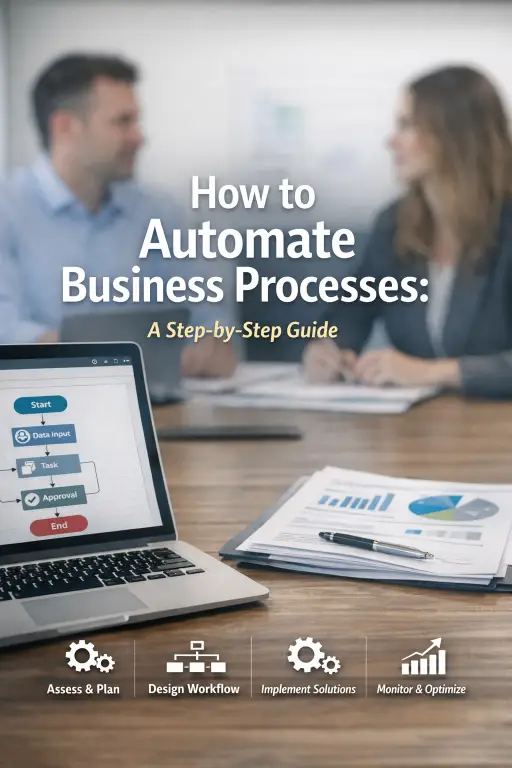
Introduction
For many small business owners, the hardest part of automation is not the software. It is figuring out which workflows are worth automating, which steps should be cleaned up first, and how to move from manual work into a system without disrupting daily operations.
This guide breaks that process down step by step. The goal is not to automate everything at once. It is to help small businesses identify the right process, structure it clearly, then use automation and AI where they reduce manual effort, improve accuracy, and make the workflow easier to manage over time.
The safest first automation is usually repeated, low-risk work with clear review points: form handoffs, spreadsheet updates, standard reports, reminders, follow-up tasks, intake records, and simple owner alerts.
Continue from here
Keep reading if you are still comparing options. Jump into the system if you already see the fit.
Key highlights
- The best first automation target is repeated, low-risk work that already follows a clear set of steps.
- Forms, spreadsheets, reports, reminders, intake, follow-up, and owner alerts are practical places to start.
- The workflow should be cleaned up before software is added so automation does not simply move confusion faster.
- Human review should stay in place for approvals, pricing, payments, sensitive messages, and private information.
- The right software should fit the tools the business already uses instead of forcing a large platform decision too early.
- AI adds value when it supports internal summaries, routing, review, and visibility after the workflow is already structured.
Understanding Business Process Automation
Business process automation is the use of technology to execute repetitive, rule-based tasks with less manual intervention. It helps businesses improve consistency, reduce delays, and free up team members to focus on work that requires judgment, customer interaction, or strategic thinking.
For small businesses, BPA is especially useful because it creates leverage. Instead of solving workflow problems with more manual effort, the business can use automation to support the same team with cleaner processes and better operational visibility.
What Business Process Automation Actually Means
At a practical level, BPA is about identifying recurring tasks that follow clear rules and then moving those tasks into software. That could include approvals, reminders, invoice handling, report generation, customer follow-up, or moving data between systems.
The goal is not to remove people from the business. It is to remove repeated low-value manual work so people can focus on the parts of the business that create more value.
How Automation Improves Business Operations
Automation improves operations by making the workflow more reliable. The business stops depending on memory, repeated follow-up, and manual re-entry to keep routine work moving. That reduces inconsistency and makes the business easier to scale.
Once the workflow is structured, AI can improve the automation layer even further by helping summarize activity, route exceptions, and surface the places where the process is still slowing down.
Why Automation Matters for Small Businesses
Small businesses often operate with limited staff and limited time. That makes repeated admin work more expensive because every hour spent on data entry, status chasing, or routine follow-up is an hour not spent serving customers or solving more important problems.
Business process automation gives smaller teams a way to create more capacity without increasing headcount at the same pace as the workload.
Which Business Processes Should Be Automated First
Not every process is worth automating first. The safest starting points are repeated, low-risk workflows that happen often, follow a clear pattern, and are easy for a person to review.
Start with the work that creates visible drag every week: repeated admin steps, form handoffs, spreadsheet updates, standard reports, reminders, intake records, follow-up tasks, and owner alerts. These are useful tasks, but they do not always need to be handled manually.
Repeated Admin Work
Administrative workflows are often the best early targets because the steps usually repeat the same way. The goal is not to replace judgment. The goal is to remove copy-paste work, routine reminders, and manual handoffs that make the day harder to manage.
- Sending the same follow-up reminder.
- Copying form answers into a spreadsheet.
- Creating a task when a new request comes in.
- Sending an internal alert when something needs attention.
Forms, Spreadsheets, and Reports
Forms, spreadsheets, and reports are usually the easiest place to see wasted effort. If staff enter the same information in multiple places, if reports take too long to prepare, or if the owner cannot quickly see what needs attention, the workflow may need a cleaner structure.
The first fix does not have to be a custom app. It may be a better form, a stronger spreadsheet layout, a simple dashboard, or an automated alert that points someone to the next action.
- Form submissions that need to become one clean record.
- Spreadsheet rows that need missing-field checks.
- Weekly reports that should pull from structured data.
- Owner dashboards that show what is open, blocked, or overdue.
Follow-Up, Reminders, and Intake
Follow-up and intake are strong first candidates because missed steps are easy to feel. A request comes in, someone needs to respond, details need to be captured, and the owner needs visibility into what happens next.
Automation can help create the record, remind the right person, and keep the next action visible without sending customer-facing AI advice or removing human review from sensitive decisions.
- New request intake.
- Appointment or document reminders.
- Quote, invoice, or callback follow-up.
- Internal next-step alerts for the owner or team.
Decisions That Should Keep Human Review
Approvals, pricing decisions, payment issues, sensitive customer messages, and anything involving private information should be handled carefully. AI can help summarize information or prepare a draft for internal review, but important decisions still need a person in the loop.
Practical automation should support the business, not remove judgment from the process.
How to Identify the Right Automation Opportunities
Before a business automates anything, it needs to understand where the current workflow is breaking down. That means looking at the actual process, not just the symptoms. A workflow that feels slow may really be suffering from unclear ownership, too many handoffs, or weak input quality.
The point of this stage is to find the processes where automation will create real operational relief instead of just adding more software to the stack.
Assess Current Workflows
Start by documenting how the process currently works. Identify each step, who owns it, what information is required, and where delays or repeat work tend to happen. This makes it easier to see which parts of the process are predictable enough to automate and which parts still need redesign.
Recognize Operational Challenges
The most common automation opportunities tend to show up in processes with bottlenecks, repeated manual effort, or a high rate of human error. If a process regularly creates cleanup work, constant reminders, or reporting gaps, it is usually a strong sign that the workflow needs attention.
- Work repeatedly missing deadlines.
- Tasks piling up in one approval stage.
- The same information being entered more than once.
- Errors or rework appearing in the same step every time.
Map the Workflow for Efficiency Gains
Workflow mapping helps the business move from guesswork into clear process design. Once the current workflow is visible, you can decide what to simplify, what to standardize, and what to automate. This is what turns automation into a controlled improvement project instead of a random software purchase.
A Step-by-Step Guide to Automating Business Processes
The most reliable automation projects follow a step-by-step approach. Skipping the structure usually causes confusion, poor adoption, or fragile automations that never fully solve the original problem.
For small businesses, the safest approach is to move from workflow clarity to implementation in stages instead of trying to automate everything all at once.
Step 1: Document and Map the Process
Write down every step in the current workflow, the owner of each step, the systems involved, and the time the process normally takes. This gives the business a baseline for understanding where the friction really lives.
Step 2: Choose the Right Automation Target
Pick a workflow that is repeated often, has a clear rule set, and creates enough manual drag that improving it will matter. Good early examples include intake records, standard customer follow-up, recurring reminders, owner alerts, reports, and repeated data transfer between systems.
Step 3: Select Tools That Fit the Workflow
Choose software based on workflow fit, not hype. The best tools are the ones that support the actual process and connect with the systems you already use. Integration matters because automation only creates value if the information can move cleanly between the office, the workflow, and the tools that depend on that data later.
Step 4: Build, Test, and Refine the Workflow
Before rollout, the automated workflow should be tested thoroughly. That includes checking for missing logic, bad handoffs, and integration issues. Small test groups and controlled pilots are usually the best way to catch problems before they affect the whole team.
Step 5: Launch with Training and Support
Once the automation is ready, the team needs to know how the new workflow works and why the business is changing it. Training matters because people adopt automation much faster when they understand that it is reducing tedious work rather than creating extra complexity.
Step 6: Monitor Performance and Improve It
After launch, the business should track KPIs like cycle time, error rates, time saved, and customer response speed. That data makes it possible to improve the workflow over time instead of assuming the first version is automatically correct.
Best Practices for Long-Term Process Automation Success
Business process automation creates the best results when it is treated as part of an ongoing operations strategy instead of a one-time software task. The workflows need to stay simple, the team needs to understand them, and the business has to keep measuring whether the automation is actually helping.
That is what turns a short-term automation project into a durable operational advantage.
Set Clear Objectives Before You Automate
Every automation project should be tied to a business goal. That might be faster turnaround, fewer errors, lower admin hours, or stronger customer communication. Clear objectives make it easier to decide whether the automation is working and whether it is worth expanding.
Train Employees and Support Adoption
Automation succeeds when the team adopts it. That means training, documentation, and a clear explanation of why the process is changing. Resistance usually drops once employees see that the workflow is becoming easier, not harder.
Prioritize Security and Compliance
Security matters because automated workflows often touch sensitive customer, financial, or internal business data. The software should support strong permissions, reliable audit trails, and secure handling of information as it moves between systems.
Avoid Common Automation Mistakes
The biggest mistakes are usually automating a bad process, choosing software that does not fit the workflow, and skipping measurement after launch. Automation works best when the business simplifies the process first, then builds the system around the real workflow instead of the other way around.
- Do not automate a broken workflow unchanged.
- Do not choose software based on features you will never use.
- Do not skip training and employee communication.
- Do not stop measuring after go-live.
How AI Improves Business Process Automation
Traditional automation is strongest when the workflow is clear and rule-based. AI expands that value by helping the business interpret, summarize, prioritize, and route information once the workflow is already structured. That makes the automation layer more useful without requiring the team to create more manual work.
For small businesses, that means AI can support the workflow by making review and follow-up faster, not by trying to replace every decision in the process.
Practical AI Use Cases in Process Automation
AI can summarize long updates, detect anomalies in time or quantity data, route issues to the right reviewer, extract information from documents, and surface the next action faster. These are the kinds of improvements that help the office keep up with the workflow without more cleanup work.
Where AI Fits Best for Small Businesses
AI tends to work best once the business has already mapped the process and created consistent inputs. If the workflow is still messy, AI usually just adds another layer on top of bad process design. If the workflow is clear, AI becomes a force multiplier that improves visibility and speed.
Conclusion
Learning how to automate business processes is really about learning how to structure work more clearly. The strongest starting point is usually not the biggest system in the business. It is one repeated workflow that already slows the team down every week.
For small businesses, the practical first win often lives in forms, spreadsheets, intake, reports, reminders, follow-up, or owner visibility. Clean up the workflow first, keep human review where it matters, then automate the parts that are stable enough to run without constant manual correction.
If you are not sure what to automate first, start with a Free Automation Review. AI Business Services can look at one workflow, form, sheet, report, or office task and help identify the first practical fix.
Download and next step
Use the checklist to map the current workflow, identify the best automation target, and decide what should be simplified before any software is added.
Frequently asked questions
What are the most effective business workflows to automate?
The best workflows to automate first are repeated, low-risk tasks with clear steps and clear review points, such as intake records, form-to-spreadsheet handoffs, standard follow-up, recurring reminders, owner alerts, report preparation, and routine approvals.
How can small businesses ensure successful automation?
Small businesses succeed with automation when they start with clear goals, map the workflow first, choose tools that fit the real process, train employees properly, and keep measuring results after launch. Simplicity and adoption matter more than feature volume.
How do you measure whether automation is improving efficiency?
The best way is to track key metrics like cycle time, error rates, admin hours saved, customer response speed, and cost per process. If the workflow is faster, cleaner, and less error-prone after automation, the implementation is creating real value.
Next-step paths
Related next reads