
Small Business Workflow Automation Services

Workflow automation for small businesses that need cleaner intake, follow-up, reporting, approvals, dashboards, and handoffs.

Replace scattered manual work with one cleaner process the owner and team can actually trust.

Most projects start with one broken workflow, spreadsheet, form, or follow-up process.

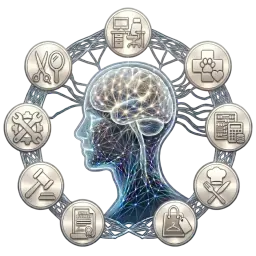
Workflow command center with dashboards and automated task routing

Best fit

Owner-operators and small service teams where work lives across spreadsheets, inboxes, calls, texts, and manual status checks.

Before

Manual work keeps piling up.

The business process depends on scattered messages, notes, and spreadsheets.

Owners chase status because there is no reliable source of truth.

Approvals, reporting, reminders, and handoffs happen too late.

The team needs control without a giant software rollout.

After

A cleaner workflow takes over.

Cleaner intake and source records.

Automated reminders, routing, reports, and alerts.

Owner dashboards for next actions, bottlenecks, and holds.

A path from quick fix to full custom app only when the business needs it.

How the first version gets built.

The goal is not to automate everything at once. The goal is to remove the first repeated bottleneck, prove the workflow, then grow only when the business needs it.

Step 1

Map the workflow from first request to final handoff.

Step 2

Remove unnecessary steps before adding automation.

Step 3

Build the smallest workflow that creates visible relief.

Step 4

Add dashboards, permissions, integrations, or custom app features as the process grows.

Tools this can connect.

We use familiar tools first. A custom app only makes sense when simple workflows and existing platforms are no longer enough.

Google Workspace

Microsoft 365

Forms

Email

Dashboards

Phone/SMS

Custom apps

Common questions

What is small business workflow automation?

Small business workflow automation connects intake, follow-up, reminders, reporting, approvals, dashboards, and handoffs so work does not depend on scattered messages and manual checks.

Do I need a CRM, automation, or a custom app?

It depends on the bottleneck. A CRM helps track relationships, automation removes repeated steps, and a custom app is useful when your workflow needs roles, records, dashboards, or process rules that standard tools cannot handle well.

Can you start small and build more later?

Yes. The recommended path is to fix the worst bottleneck first, prove the workflow with real examples, then add dashboards, integrations, permissions, or custom app features only when needed.

Start with the workflow that wastes the most time.

Tell us what is broken, slow, repetitive, or messy. We will help you choose the smallest useful fix.

Request a Free Tech Audit

Most projects start with one broken workflow, spreadsheet, form, or follow-up process.