
Google Workspace Automation for Small Business

Automate repetitive work across Gmail, Google Sheets, Forms, Calendar, Drive, and Apps Script without forcing your team into a new platform.

Turn repeated Google Workspace tasks into cleaner intake, reminders, updates, reports, and owner visibility.

Most projects start with one broken workflow, spreadsheet, form, or follow-up process.

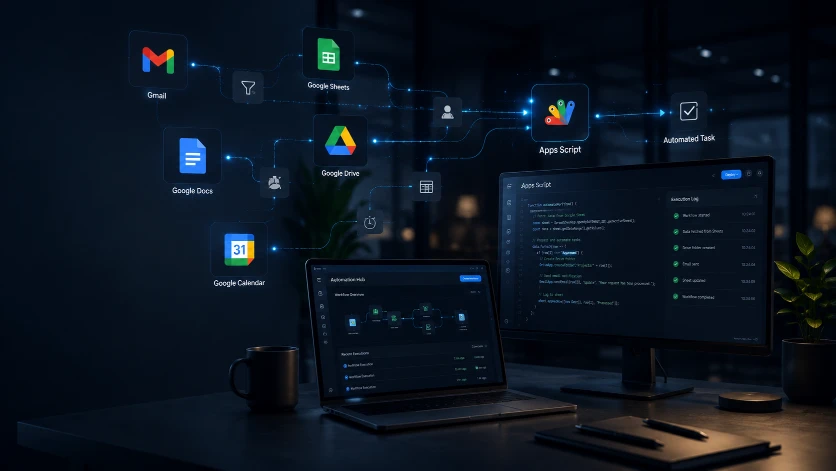
Google Workspace automation connecting Gmail, Sheets, Drive, Docs, Calendar, and Apps Script

Best fit

Owner-operators and small teams already using Gmail, Google Sheets, Forms, Calendar, and Drive.

Before

Manual work keeps piling up.

Form submissions need to be copied into spreadsheets or emails.

Follow-ups depend on someone remembering to send them.

Reports are rebuilt manually from Sheets every week.

Files, client details, and task updates live in too many places.

After

A cleaner workflow takes over.

Form-to-Sheet workflows with confirmation emails and owner alerts.

Automatic reminders, follow-ups, and status updates.

Clean spreadsheet systems with validation and simple dashboards.

Apps Script automations that reduce copy-paste admin.

How the first version gets built.

The goal is not to automate everything at once. The goal is to remove the first repeated bottleneck, prove the workflow, then grow only when the business needs it.

Step 1

Map the repeated Google Workspace task that wastes the most time.

Step 2

Clean the Sheet, Form, email, or calendar handoff before automating it.

Step 3

Build the smallest useful Apps Script or workflow connection.

Step 4

Test the workflow with real examples and hand over the next-step plan.

Tools this can connect.

We use familiar tools first. A custom app only makes sense when simple workflows and existing platforms are no longer enough.

Gmail

Google Sheets

Google Forms

Calendar

Drive

Apps Script

Common questions

Can you automate Gmail and Google Sheets together?

Yes. We can connect Gmail, Google Sheets, Forms, Calendar, Drive, and Apps Script so intake, reminders, confirmations, alerts, and reports do not need to be copied by hand.

Do I need to replace my current Google Workspace setup?

No. The first step is usually cleaning up the existing Sheet, Form, or inbox workflow, then adding the smallest useful automation around what already works.

What should a Google Workspace automation include first?

Start with the handoff that wastes the most time, such as form-to-sheet entry, confirmation emails, owner alerts, calendar reminders, or weekly reporting.

Start with the workflow that wastes the most time.

Tell us what is broken, slow, repetitive, or messy. We will help you choose the smallest useful fix.

Request a Free Tech Audit

Most projects start with one broken workflow, spreadsheet, form, or follow-up process.